
Tutorial: How to Get a YouTube API Key v3 (Vidpro)
This document is the same as the general YouTube API Key guide, but placed under the Vidpro category so Vidpro theme users can easily find it.
Video Tutorial
Watch the tutorial video below:
Steps to Obtain a YouTube API Key v3
- Visit the Google Cloud Console: https://console.cloud.google.com and log in with your Gmail account. On first login, a popup may appear; choose Indonesia, check all boxes, and click agree. If it doesn’t appear, ignore it.
- Create a project. Click Create Project in the callout, or click Select Project from the dropdown next to Google Cloud Platform at the top left.
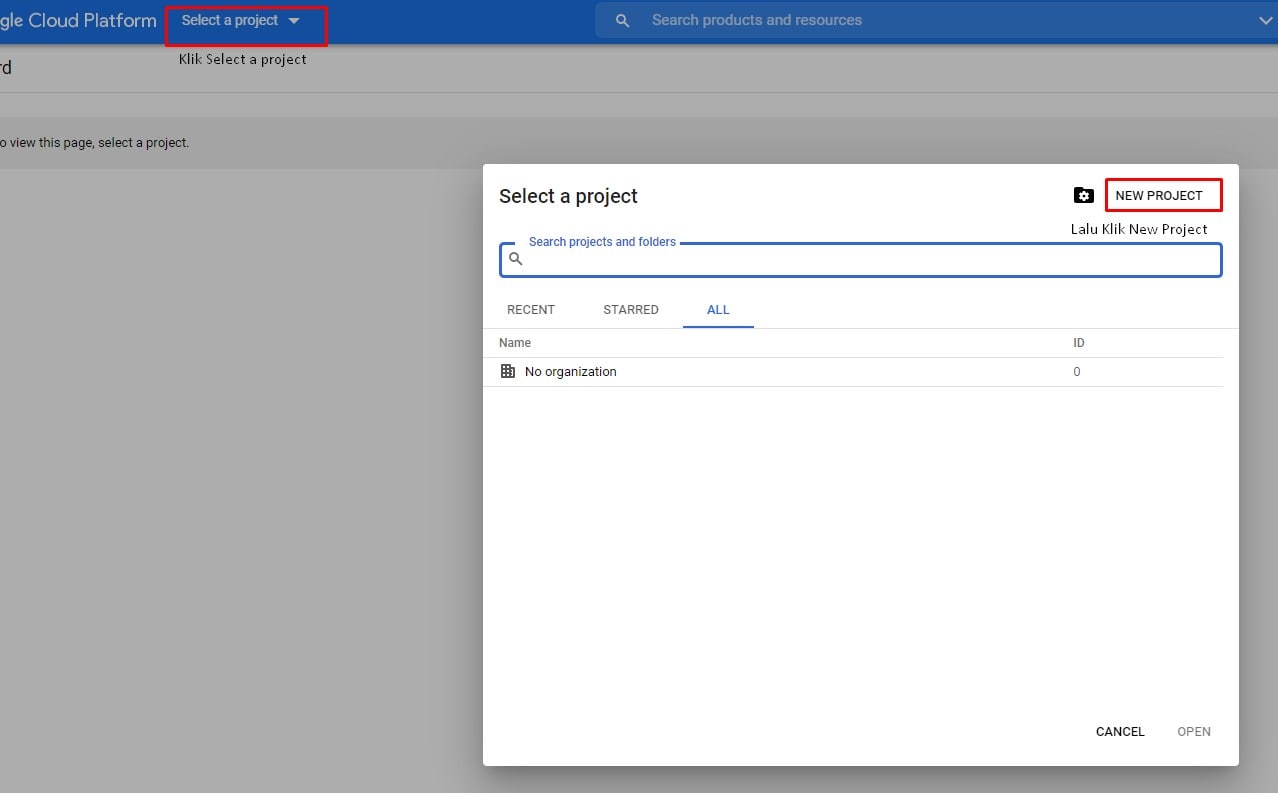
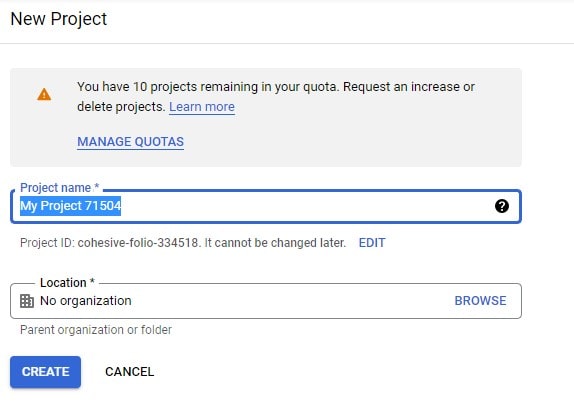
- After clicking New Project, enter your project name (free choice), then click Create.
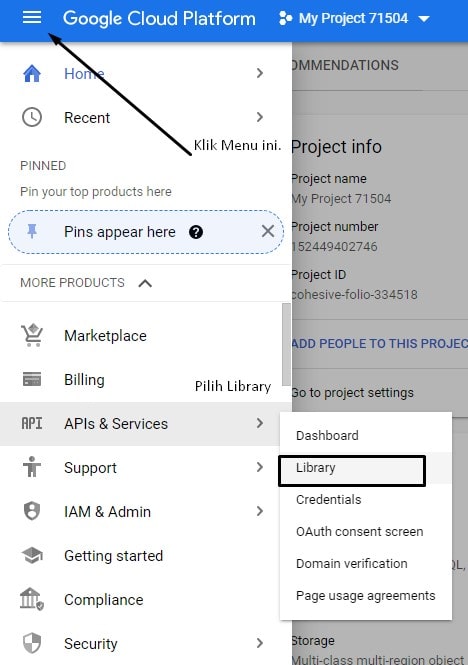
- Open the Library menu to enable the YouTube Data API v3. Click Library in the left menu.
- In the Library page, search for YouTube Data API v3 and click it. You will be directed to the search page and find the YouTube Data API v3 library; click YouTube Data API v3.
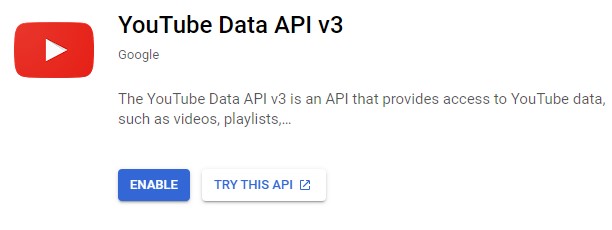
- Click Enable to activate the YouTube Data API v3 service.
- You will be directed to your project dashboard. To use this service, you must create credentials. Click Create Credentials.
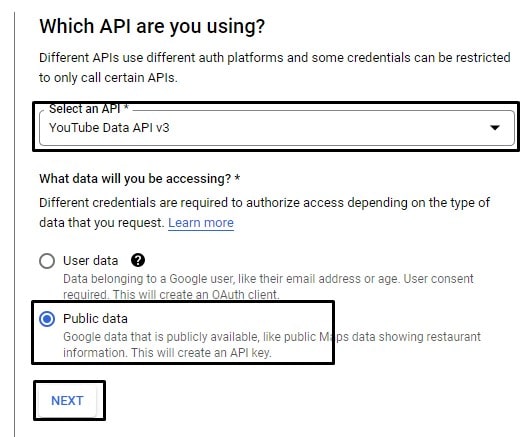
- Wait a moment; you will be directed to the credentials form. Select YouTube Data API v3 for “Which API are you using?” and choose Public data for “What data will you be accessing?” then click Next.
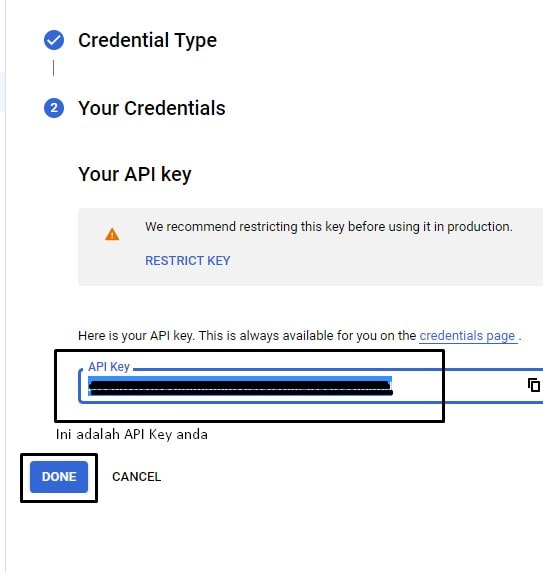
- After clicking Next, you will get your API Key. Save it anywhere (e.g., Notepad), then click Done.
- Done. You can use your API Key in YouTube plugins that require YouTube Data API v3. For a practical walkthrough, watch the video above.
Important Notes
- The API Key you create is tied to the same project; if you create a new project, you must generate a new API Key.
- The API Key you create is intended for the same domain; if you want to use the API Key on another domain, you should generate a new API Key.
- The screenshots use the English version of Google Console; your interface may be Indonesian, but the steps are the same.
- This tutorial was made in December 2021; Google may change its website layout over time, but the steps are generally the same.