
Posting Movies, TV Shows, and Episodes in Muvipro
Video Tutorial
Content Structure in Muvipro
In general, Muvipro organizes content into:
- Movies: standalone films.
- TV Show: series.
- Episode: episodes within a series. This is under the TV Show submenu.
- Blog: blog posts.
Menu names may vary by version (e.g., Movie, TV Show, Episode), but the concept is the same.
Posting Movie
Create a Movie Post
Go to Movies -> Add New (or a similar custom post type).
In Movie Settings, find the field:
Enter IMDB/TMDB IDEnter the TMDB ID for the movie.
TMDB link example:
https://www.themoviedb.org/movie/135397-jurassic-worldTMDB ID:
135397
Example screenshot:
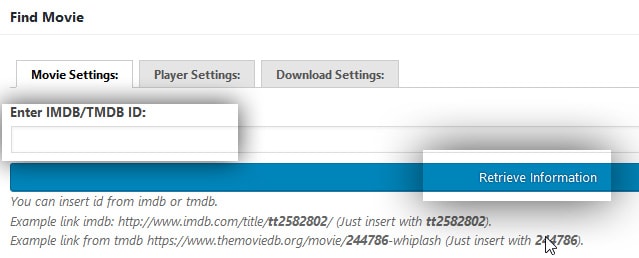
- Click Retrieve Information, and wait for the data to auto‑fill.
- Publish.
Movie Player & Download
- Available under the Player Settings and Download Settings tabs in Find Movie below the editor.
- Supports up to 15 Players and 15 Download Links
- Players must be embedded manually
Note
The Muvipro theme does not include a built‑in player.
Posting TV Show
Create a TV Show Post
Go to TV Show -> Add New (or Series).
Enter the TMDB ID in TV Shows Settings.
Example:
https://www.themoviedb.org/tv/16420TMDB ID:
16420
Example screenshot:
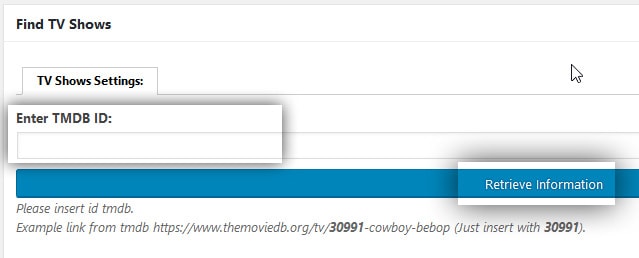
- Click Retrieve Information, then Publish.
Info
TV Shows do not have Player or Download options. These features are available in Episodes.
Posting Episode
Go to TV Show -> All Episodes -> Add New (or Episode under TV Show).
Fill in TMDB ID, Season, and Episode.
Example link:
https://www.themoviedb.org/tv/16420/season/1/episode/1Fields:
TMDB ID : 16420
Season  : 1
Episode : 1
Example screenshot:
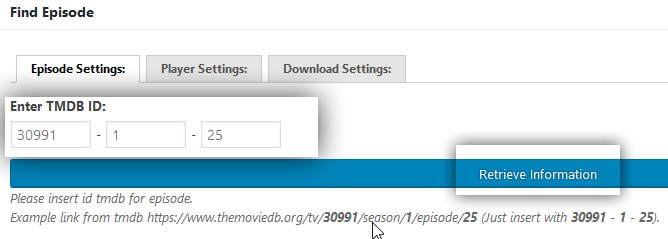
- Click Retrieve Information, then Publish.
Episode Player & Download
- Supports up to 15 Players and 15 Download Links
- Embed the player manually
Important
The Muvipro theme does not include a built‑in player. Ensure the Episode tmdbID matches the TV Show tmdbID.
Posting Blog
Go to:
Blog → Add NewAdd content as in a regular WordPress post.
Click Publish.
Important Notes
- Ensure the Custom field tmdbID: matches the tmdbID TV Show.
- If you use TMDB scraping, the TMDB ID TV Show and TMDB ID Episode should automatically match.
- If you post manually, you must enter the tmdbID: manually and match it with the tmdbID: in the corresponding TV Show.
Example Screenshot:
In TV Show: 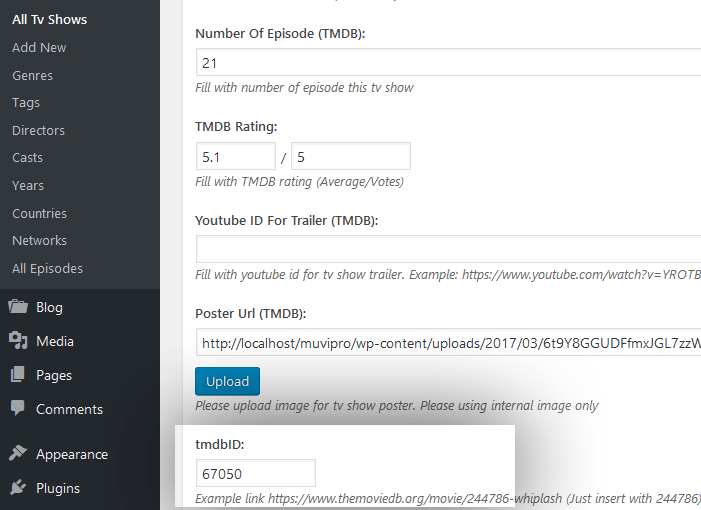
In Episode: 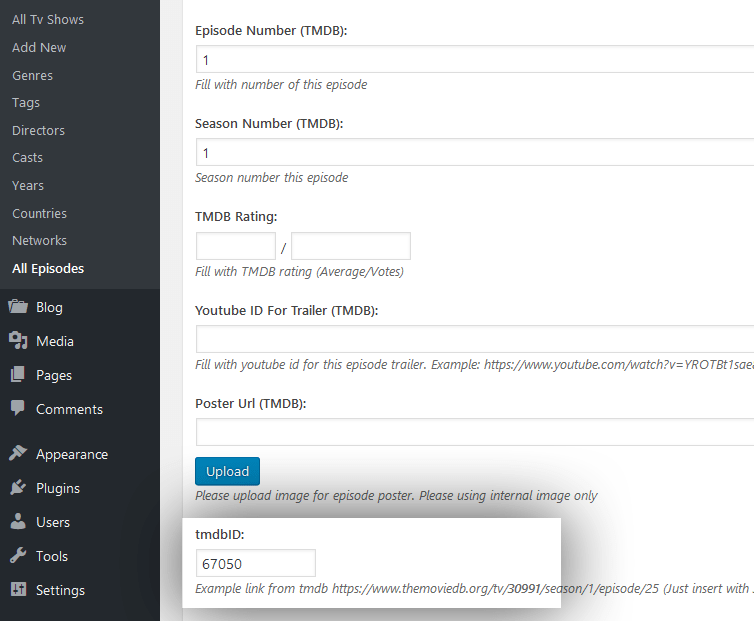
Conclusion
With TMDB integration, the Muvipro theme enables fast, efficient creation of Movie, TV Show, and Episode content.
For a list of recommended player sources, see: Muvipro Player List.