Pengaturan Top Navigation Muvipro
Pada versi Muvipro tertentu (misalnya v1.0.4+), tersedia fitur Top Navigation di bagian atas website.
Video Tutorial
Fungsi Top Navigation
- Menampilkan menu tambahan di bagian paling atas website.
- Cocok digunakan untuk:
- Link penting (Contact, Request Film, DMCA).
- Link ke halaman kebijakan.
- Link sosial atau informasi singkat lain.
Mengatur Top Navigation
- Buat menu baru:
- Masuk ke Appearance -> Menus.
- Klik create a new menu.
- Beri nama, misalnya Top Navigation.
- Tambahkan item (Pages, Custom Links, dsb).
- Atur sebagai Top Navigation:
- Di tab Manage Locations atau Menu Settings, pilih menu ini untuk lokasi Top Navigation (jika disediakan theme).
- Simpan perubahan.
Customize Top Navigation
Pengaturan Baru Di Customizer untuk Top Navigation:
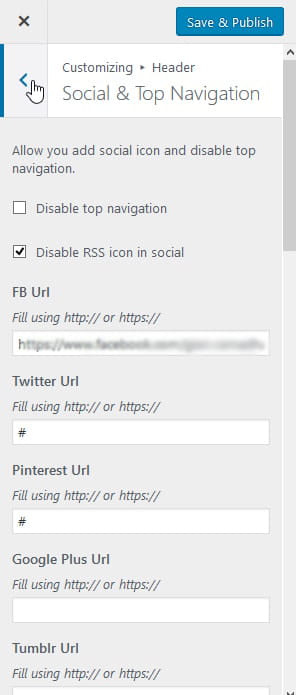
- Masuk ke Appearance -> Customize -> Header -> Social & Top Navigation.
- Atur top navigasi sesuai kebutuhan. Contoh screenshoot:
Pengaturan Style Top Navigation:
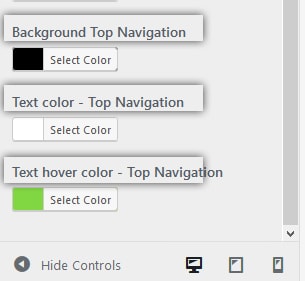
- Masuk ke Appearance -> Customize -> Header -> Header Color.
- Atur warna background dan teks top navigation sesuai kebutuhan. Contoh screenshoot: