
AMP Settings in the Majalahpro Theme
The Majalahpro theme supports AMP via the official WordPress AMP plugin, with template adjustments in the theme so AMP views match the normal layout.
AMP Support
- Almost all Idtheme themes support AMP layout (only official AMP is supported).
- Enable the official WordPress AMP plugin. Official AMP plugin link.
Recommendations
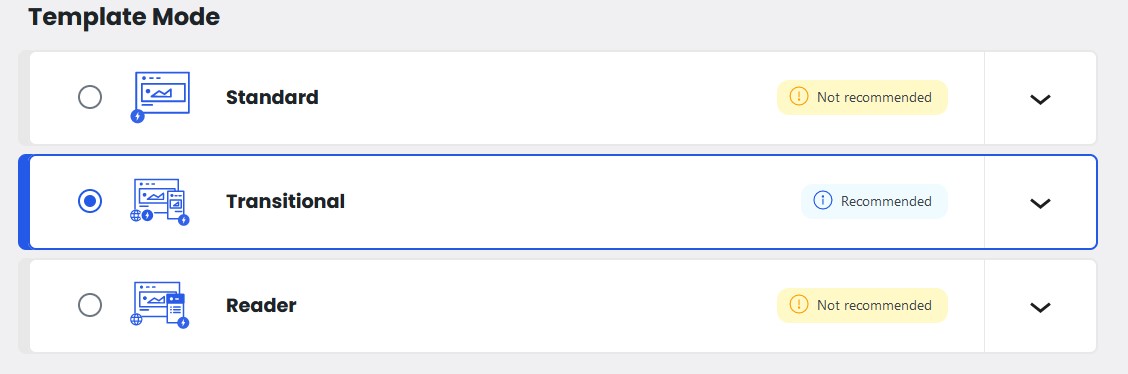
- Use Standard or Transitional mode as needed. Recommended: Transitional mode.
Below is a screenshot of Transitional mode settings in Dashboard → AMP → Settings:
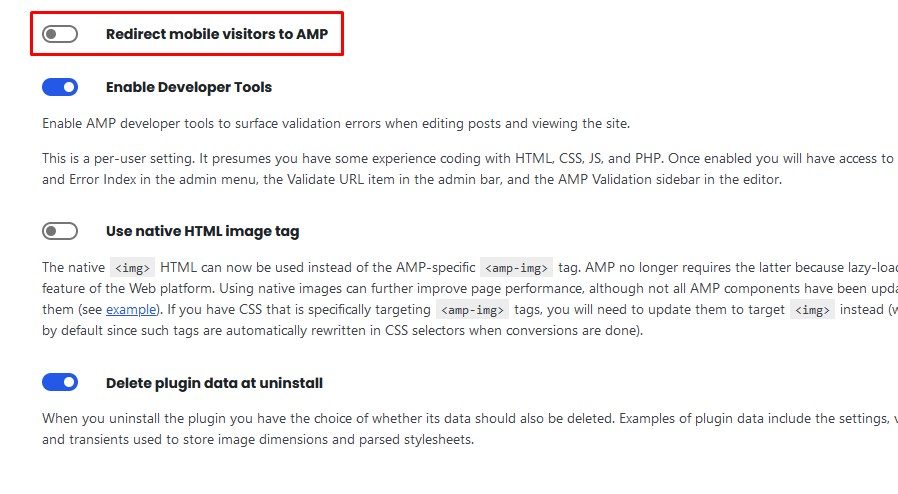
- Do not redirect mobile visitors to AMP.
In other settings, “redirect mobile visitor to AMP” can be enabled if you want to route mobile visitors to AMP pages; recommended to keep it disabled. Screenshot:
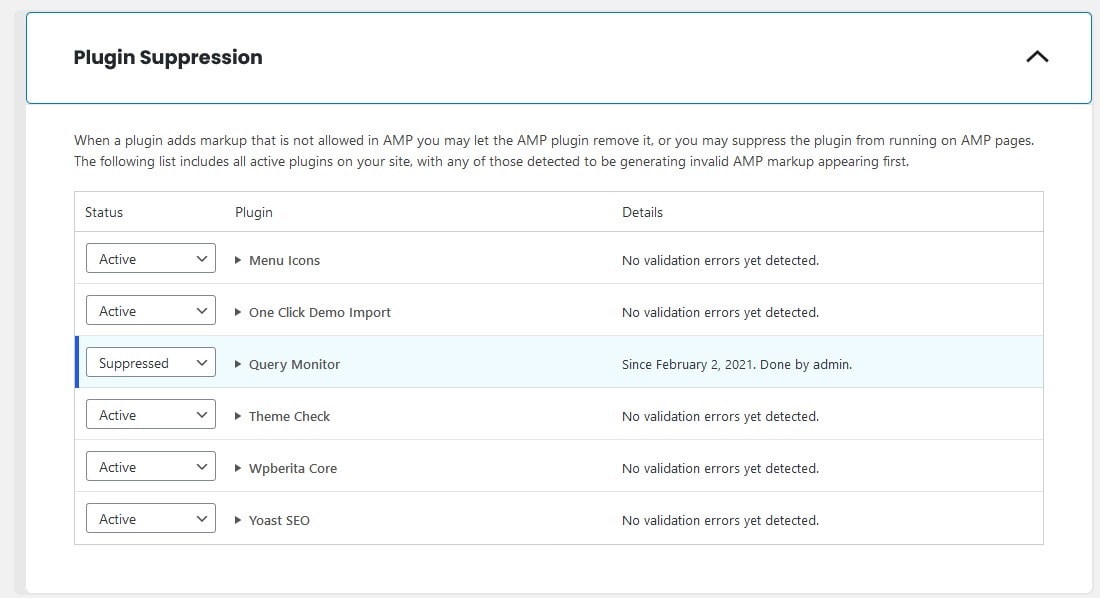
- Suppress plugins that are not AMP‑compatible.
The theme supports AMP, but some plugins may not, causing AMP errors. Check whether the plugin supports AMP. If not, suppress that plugin. Screenshot:
- Ensure ad components and third‑party scripts are compatible.
- Test pages with Google AMP Test to ensure validity.
AMP in Majalahpro Core
To simplify certain views, some features like widgets, comments, and widgets are removed on AMP pages.
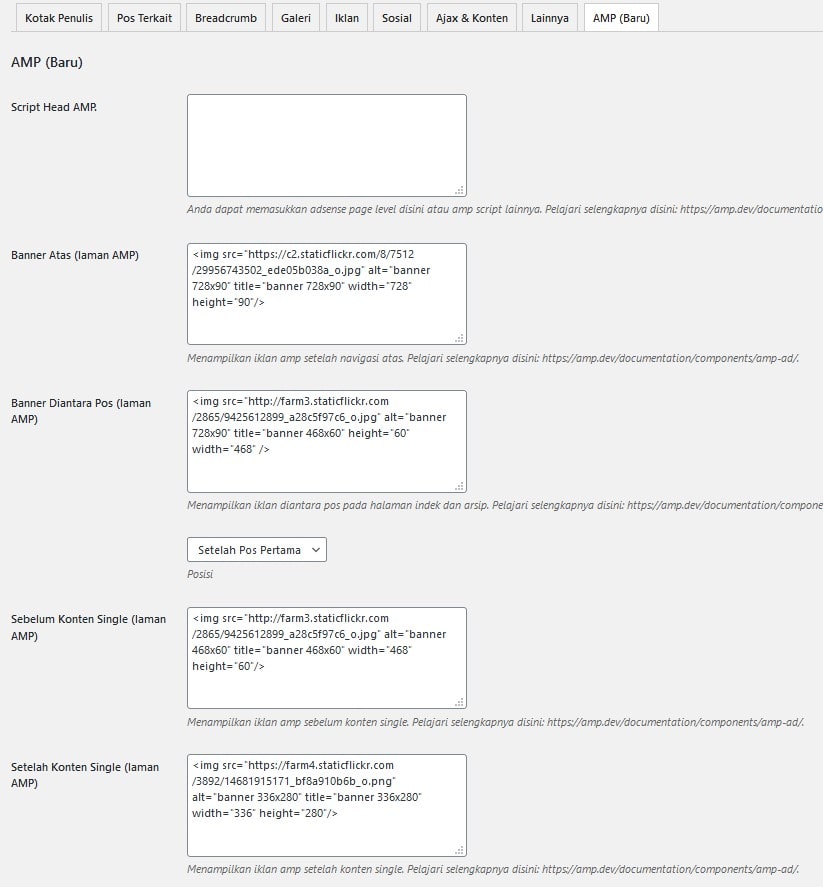
However, you don’t need to worry. We provide settings to display ads on AMP pages and add page‑level ads via a dedicated AMP head script. Settings:
- Open Settings → Majalahpro Core, then go to the AMP (New) menu. There you can configure ads that will appear on your AMP pages. See the image:
- To learn which ads are supported and their formats, visit:
https://amp.dev/documentation/components/amp-ad/
If you use AdSense, learn AdSense ad formats here:
https://github.com/ampproject/amphtml/blob/master/ads/google/adsense.md
How do I validate that my AMP pages are valid? Visit:
https://validator.ampproject.org
Adjustments
- If the theme provides AMP‑specific settings, enable them in the Customizer or relevant Options.
- Minimize custom CSS and avoid incompatible inline JS.
FAQ
Q. Why does my plugin not work on AMP pages?
Ensure the plugin supports AMP; ask the developer whether it works on AMP pages.
Q. Why doesn’t my JavaScript work on AMP pages?
AMP does not support JavaScript. If you insert JavaScript, for example in posts, it will not work. Disable the AMP plugin if you require JavaScript in posts.
Q. Why are AMP pages still valid after I disable the AMP plugin?
If you disable the AMP plugin, your pages will no longer have AMP.
Q. Why are my AMP pages invalid?
Check for errors in the AMP validator. If present, fix them. Typically, errors occur due to scripts or plugins not supported by AMP.
Q. Why is there an “Error Index” in AMP settings?
Usually caused by another plugin triggering an index error. Suppress that plugin as described above.